Installation guide
How to get the downloaded database into FM26 Mobile. iPhone only for now.
Before you start
- Installing doesn't modify the game. You just drop a
db_archive_2623folder into the app'sDocumentsdirectory, and the game reads that instead of its own data. - Which means deleting it puts everything back. Nothing inside the game is touched.
- Once you swap the database, your existing saves will no longer open. Copy anything you care about to your PC first.
- Classic and History, 2008 and 2012 — only one can be installed at a time. To switch, just replace the folder again.
- This page covers the database only. The facepack goes somewhere else entirely; its instructions ship inside the facepack zip.
iPhone · iPad
No jailbreak required. You just need a PC and a cable.
What you need
- A Windows PC
- A cable to connect the phone to the PC
- 3uTools — a free utility that lets you browse an app's files from your PC. Get it from
3u.com.
Installing the database
- Unzip the download on your PC. Inside is a single
db_archive_2623folder. - Delete FM26 Mobile from your phone and reinstall it.
This is what leaves the folder in the next step clean. It wipes your existing saves — but swapping the database makes them unopenable anyway, so you aren't losing anything you could have kept.
- Open 3uTools and connect your phone.
If the phone asks "Trust this computer?", tap Trust.
- Click Apps in the left sidebar, find FM26 Mobile in the list, and click Browse on that row.
You may have 70+ apps listed. Type
FM26into the Search box at the top right to filter.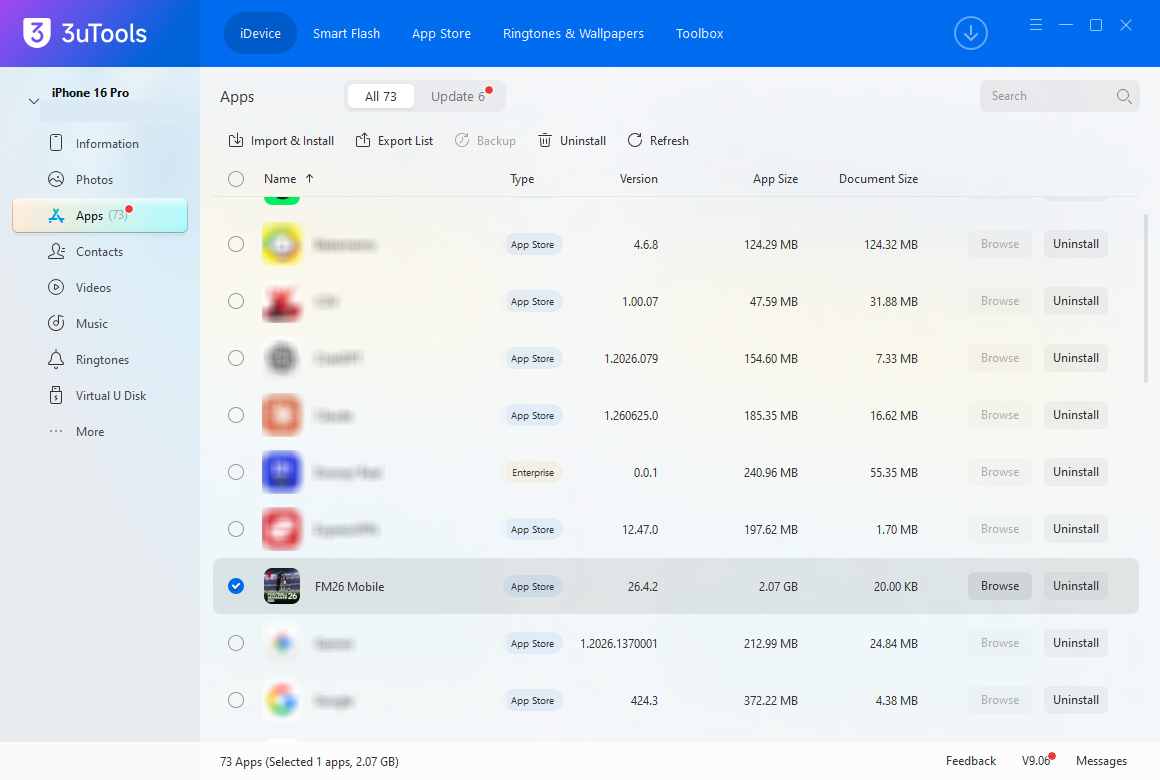
Browse on the FM26 Mobile row — not Uninstall next to it. - When the file window opens, click the Documents folder — not
Library.You just reinstalled, so it will be empty. That is correct. The game keeps its own data elsewhere inside the app, so there is never anything here. Putting a folder into this empty space is the installation.
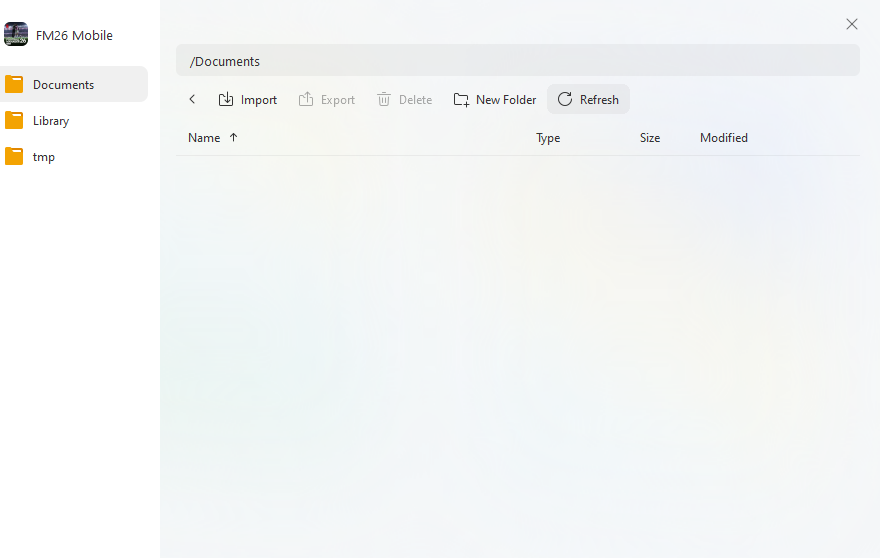
/Documentsright after a reinstall. Empty doesn't mean you're in the wrong place. - Drag your unzipped
db_archive_2623folder into this window.The Import button at the top does the same thing. There are 76 files, so give it a moment.
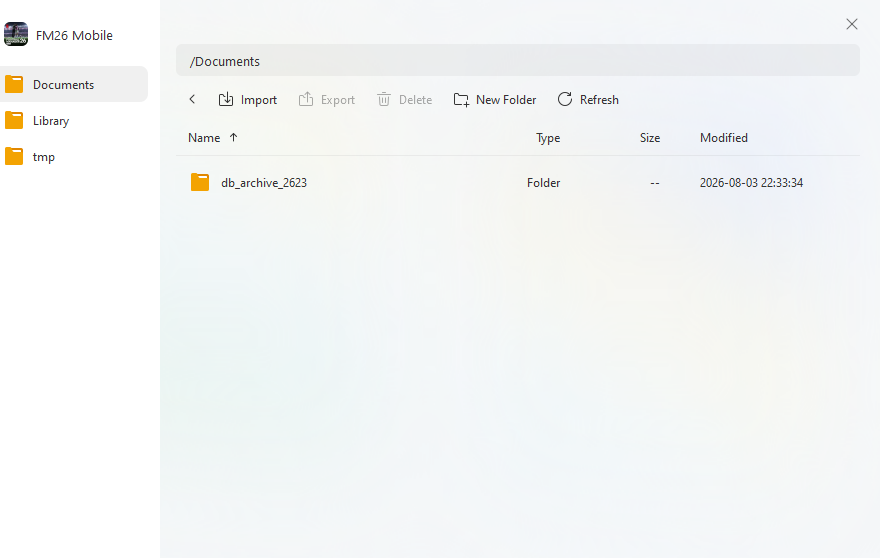
One db_archive_2623row appears. That's it. - Double-click the folder and check all 76 files made it across.
A truncated copy makes the game hang on loading. If the count is short, delete the folder and copy it again.
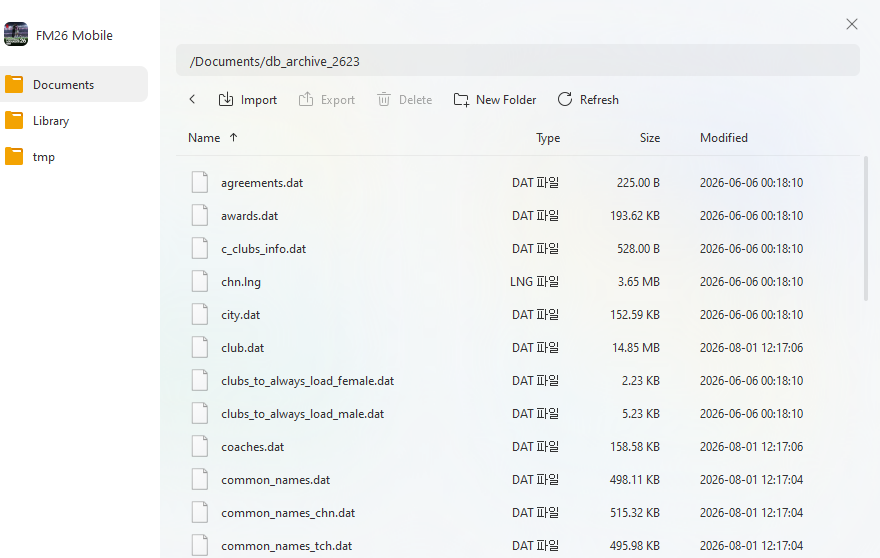
Path reads /Documents/db_archive_2623and the.datfiles are listed — you're done. - Launch the game and start a new game.
Switching editions · going back to stock
- To switch editions, delete the
db_archive_2623folder and drop the new one in its place. They share a folder name, so only one can be installed at a time. - To go back to stock FM26, just delete the
db_archive_2623folder. Nothing inside the game was ever modified, so there's no need to reinstall the app. - Either way, start a new game afterwards.
Android
There is no Android guide yet. We haven't been able to test it properly, so we'd rather not hand out a procedure we can't stand behind. It will go up here once that changes.
This is a free, unofficial fan project with no connection to Sports Interactive, SEGA or Netflix.
Please only use it if you legally own both the original game and FM26 Mobile. Not for resale.